Questions about Pumpd
How the plan is built, how it progresses, what’s free, and what changed from the web app.
Pumpd and your plan
What is Pumpd?
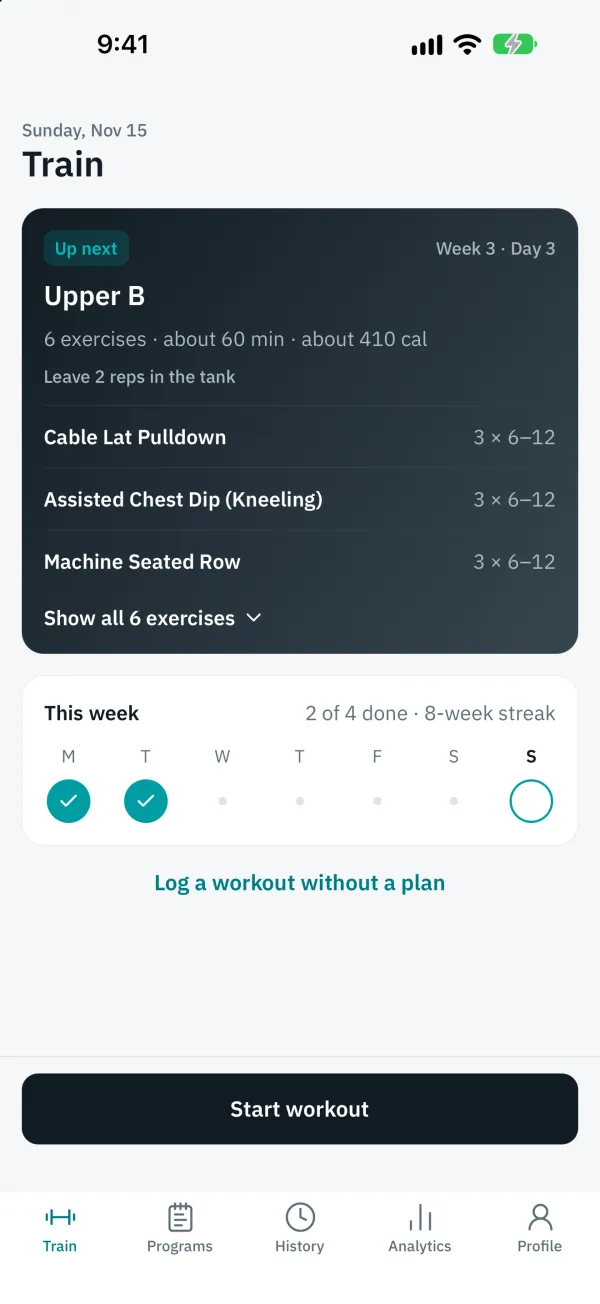
Pumpd is a workout planner app for iOS and Android. Answer five questions and it builds a strength program for your goal, experience, days a week, session length and equipment, then logs every workout.
With Pro, it also sets your next weights and reps after every workout and tells you why.
Who is it for?
People who lift and know progress takes a plan, but would rather not build one in a spreadsheet or work out what to add each week.
If you’re newer to lifting, Pumpd does that part for you, and every change it makes says why, so you learn as you go.
How does Pumpd build my program?
It picks a split for your days and goal, then chooses exercises your equipment allows and sets the sets, rep ranges and rest for each. Sessions fit inside the time you give it; they’re never padded.
Every muscle’s weekly sets are checked against a research-based range for your goal and experience. For building muscle at an intermediate level, that’s 10–20 sets a week for each major group. The same answers always build the same program.
How Pumpd builds your program has the details, or build a free plan to see yours.
Does it work at home or in a small gym?
Yes. Pick a commercial gym, a small gym, a home or garage gym, or a minimal setup, then add or remove individual pieces of equipment in the app. Pumpd only uses what you have.
When something’s missing, it says what stands in. No pull-up bar means rows take its place, and Pumpd tells you what would add it back.
Is this AI?
No. Pumpd runs on rules that are written down: weekly set ranges for each muscle, rep ranges by goal, and clear steps for when the weight goes up, holds or comes down.
The same answers always build the same program, and every change to your targets comes with its reason, so you can check it.
Can I change the program?
Yes, all of it, on Free: swap exercises, add or remove them, move them between days, reorder them, and change sets, reps and rest. Progression carries on from your changes.
With Pro, Pumpd warns you when an edit leaves a muscle under or over its weekly range.
Training with Pumpd
How do I know what weight to start with?
You don’t have to guess. The first time you do an exercise, the reps are filled in at the top of its range and Pumpd asks for a weight you could lift that many times with a few still in the tank.
From then on, what you lifted last time fills in.
How does Pumpd decide when to add weight?
With Pro, after every workout. Most exercises use a rep range: each session asks for one more rep per set, and when every set reaches the top of the range, the weight goes up and the reps start again at the bottom.
A bench press at 3 × 8–12 and 135 lb moves to 140 lb once all three sets hit 12. Every change has a one-line reason, and one tap undoes it.
On Free, last time’s weights and reps fill in and you choose what to lift.
What happens if I miss reps or take time off?
With Pro, Pumpd adjusts. One short session holds the weight. Two in a row bring it down about 10% to build back up. After more than two weeks away, targets ease back about 10%; after more than four, about 20%.
If a lift felt easy, mark it and the next jump is bigger.
What is a block, and why is there a deload week?
Your program runs in blocks of several weeks. Effort ramps across the block, from leaving 3 reps in the tank in week 1 to 1 rep near the end, and every week tells you where you are.
The last week is a deload: half the sets at the same weight, so you recover and start the next block fresh. After each block you get a review of how every lift moved.
What if the equipment I need is taken?
Swap the exercise. On Free, search any exercise and swap it in, as often as you like, for today or for good.
With Pro, smart swaps rank five alternatives that fit your equipment, mixing equipment types so a busy station doesn’t stop you, and your progression carries on.
How many exercises are there?
About 1,400, almost all with a form video, plus any custom exercises you add. Browse them in the exercise library.
Logging and the app
Does it work offline?
Yes. Once your plan is in the app, a workout runs with no signal: start it, log every set, use the rest timer and finish it.
Everything sends to your account when you’re back online, so a basement gym or a dead zone never costs you a workout.
What can I log?
Weight and reps, bodyweight with or without added weight, assisted exercises and timed holds, one side at a time where it matters. Warm-up sets for main lifts are added for you, and supersets, notes and workouts outside your program all work.
The rest timer starts when you finish a set and sits on your lock screen, and records show up the moment you set them.
Which devices does it work on?
iPhone and Android phones, and iPad. Your workouts are saved to your account, so sign in on a new phone and everything is there.
Free and Pro
Is Pumpd free?
Yes. Pumpd is a free workout planner: Free builds a full program for your goal, days and gym, logs every workout online or off, fills in what you lifted last time and keeps all your history and records.
Pro adds what keeps the plan moving: next weights and reps with a reason, smart swaps, smarter next blocks and longer analytics.
What does Pro cost, and is there a trial?
Pro is $9.99 a month or $59.99 a year. The annual plan works out at $5.00 a month and starts with 14 days free.
Compare Free and Pro area by area.
Switching to Pumpd
Can I bring my history from Strong or Hevy?
Yes. Export a CSV from Strong or Hevy and import it into Pumpd. Each exercise is matched to Pumpd’s library, and you can review the matches before anything is saved.
Your records come with it, and your history feeds your targets from the first workout.
Can I export my data?
Yes. Export every workout to CSV from the app at any time, on Free.
The old web app
What happened to the web app?
Pumpd is now an app for iOS and Android, and the web workout app has retired. Sign in to the app with the same account.
This site still builds a free plan preview, and the exercise library stays here.
I subscribed on the website. What happens to my subscription?
It carries on, and moves to the new price at your next renewal. Manage it from the link in your billing emails, or email support@pumpd.fit.
Billing
How do I cancel Pro?
Pro bought in the app is billed through the App Store or Google Play, so cancel in your store account. Pro runs to the end of the period you’ve paid for, and cancelling during the free trial means you’re not charged.
What happens when Pro ends?
Nothing is deleted. Your current program keeps running as written, and your history, records and programs stay in the app. Targets go back to filling in what you lifted last time.
Still stuck? Email support@pumpd.fit.
Free on iOS and Android.
Build your plan here, then run it in the app.